Graduation photo ideas
Good graduation photos mix the classics (the cap toss, the tassel turn, the diploma) with shots only you can take: your study spot, your people, your decorated cap. Here are 20 ideas you can shoot on an iPhone, before the ceremony and on the day.
Poses and moments
- The cap toss Count to three and have everyone throw straight up, not forward. Crouch low and shoot in burst so the caps fill the sky above the faces.
- The tassel turn Get a close-up of the hand moving the tassel across the cap. Restage it after the ceremony if you missed the real one; nobody can tell.
- The empty diploma cover Many schools hand out an empty cover on the day. Catch the face when your grad opens it, or have them hold it open and laugh.
- Crossing the stage From the closest spot you’re allowed to stand, zoom to 2x or 3x and shoot a burst as your grad shakes hands. The walk off the stage is often the better frame.
- The hug with the person who got you here Shoot over the parent’s or grandparent’s shoulder so the grad’s face is in the frame. Keep shooting after the hug ends; the moment after is usually the real one.
- The jump in the gown A gown fills with air on a jump. Shoot from low with burst and have the grad tuck their feet up.
- The over-the-shoulder look Walk away from the camera toward the school building, then glance back. The gown swings and the building tells the story.
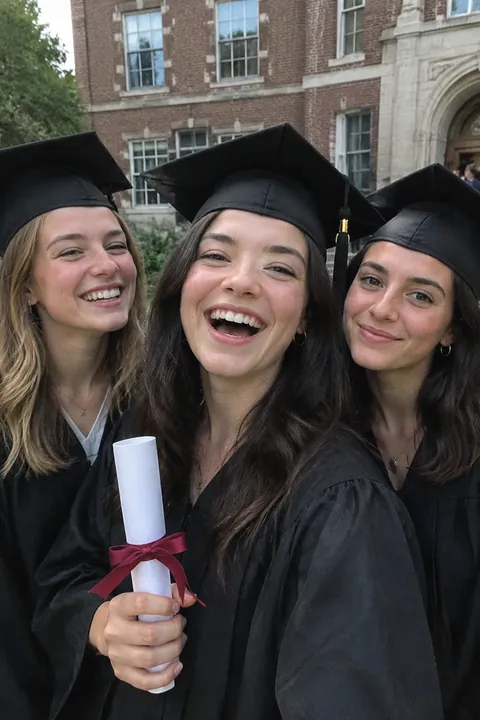
- Arm in arm with your friends Walk toward the camera in a line, mid-laugh. It looks more like your group than a stiff row on the steps.
- Staggered on the steps Put friends on different steps of the main building, a little apart, everyone facing a different way. It reads as a class, not a lineup.
- Pointing at your name Find your name in the program, on the banner or on the screen, and point at it. Close enough that the name is readable.
Props and places
- The decorated cap from above Lay the cap on grass or a plain blanket and shoot straight down. Then put it on and shoot it again from a step above your grad.
- Your study spot The library table, the lab bench, the coffee shop chair. Sit there in your cap and gown one last time.
- The school sign Stand beside the campus sign or the name carved in stone, cap on. Shoot a wide one and a close one.
- Then and now Hold up your first-day-of-school photo and copy the pose. Same backpack if you still have it.
- The tool of your major A stethoscope for nursing, a hard hat for engineering, paint brushes for art. One prop says what the degree was for.
- Stoles and cords up close Shoot the honor cords, stoles and pins against the gown. These are the details that disappear in group shots.
- Sparkling cider pop Shake the bottle, aim it away from faces and shoot a burst as the cork goes. Cider looks the same as champagne on camera.
- Balloon numbers Big foil numbers for your class year, held by the grad or tied to the stair rail. Keep them to one side so the face stays the subject.
- Flowers on the gown Lay a bouquet in the crook of the arm against the black gown. Bright flowers pop against it.
- Under the campus tree at golden hour Go in the hour before sunset when the light is low and warm. Put your grad in the edge of the shade so faces stay soft.
Make your graduation photos move
Lively suits the cap toss and the friend shots: people laugh, turn their heads and wave, and gowns and hair swing. For the quiet portrait under the tree, Natural keeps it small: a blink, a breath, a little smile. Both use AI on Tada’s servers with OpenAI and xAI, take 20–40 seconds, and Tada asks before your first one. You get 3 AI tadas free; see privacy for the details.
No cap in the photo? In Add effects, the free Hats & headbands pack has a graduation cap and Neck things has a medal. Pick a pack and the stickers land on the person in about a second; tap Shuffle for a new set and drag or pinch a sticker to fit. They keep moving in the saved Live Photo. More on that in how to add stickers to photos.
iPhone tips for graduation day
- Leave Live Photo on in Photo mode. If the cap toss frame is a blink off, open the photo, tap Edit, tap the Live Photo button, drag to a better frame and tap Make Key Photo.
- For the toss and the jump, swipe the Shutter button to the left to shoot a burst, then pick the keepers from the burst thumbnail.
- For the family shot with you in it, tap the Camera Controls button, tap Timer and choose 10. Prop the phone on a bag at chest height.
- Use Portrait mode for the solo cap-and-gown shot. Black gowns lose detail in harsh noon sun, so shoot in open shade or late in the day.
Questions
When should I take graduation pictures?
Many grads shoot cap-and-gown photos a few weeks before the ceremony, so the pictures are ready for announcements, then take candid shots on the day itself. Campus spots get crowded the week of graduation, so go early in the morning or late in the day.
What should I bring to graduation pictures?
Your cap, gown, tassel, any stoles or cords, the diploma cover if you have it, and one or two props that mean something to you. Bobby pins help keep the cap from sliding.
Can I take good graduation pictures with an iPhone?
Yes. Use Portrait mode for solo shots, burst for the cap toss and jumps, and the timer for family photos. Soft light from late afternoon or open shade matters more than the camera.
How do I make a graduation photo move?
Open Tada, tap Make it Live, pick the photo and choose how it moves, or add a moving graduation cap with Add effects. Tap Save to keep it in Photos as a Live Photo.
Sources: Apple Support: Take and edit Live Photos · Apple Support: Take Burst mode shots · Apple Support: Use iPhone camera tools · Apple Support: Take portraits with your iPhone camera