A manga filter that moves
Tada’s Manga Me look redraws your photo as a hand-drawn manga panel, with ink lines and anime shading, then makes it move. It keeps you, your clothes and what you’re holding, and saves as a Live Photo.
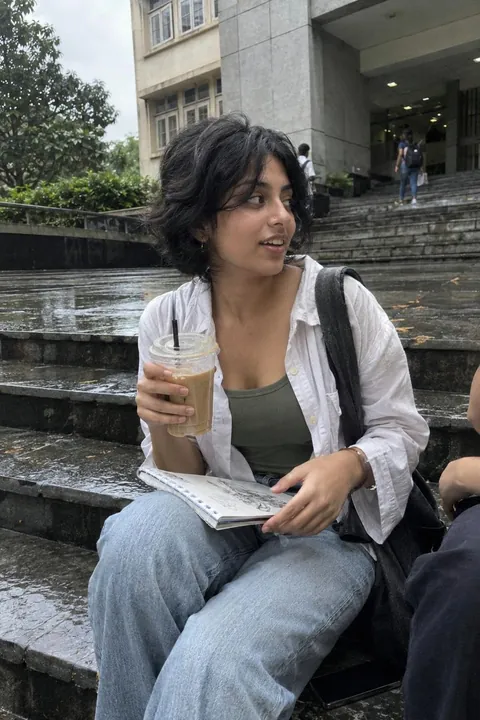
How to turn a photo into manga
- Open Tada, tap Add effects and pick a photo. One person, face clearly visible, works best.
- In AI looks, choose Manga Me and tap Make it.
- In about a minute your manga panel is ready, and moving.
- Tap Save. It goes to Photos as a Live Photo.
A different style every time
Each Manga Me comes out in one of six styles, picked at random: inky black-and-white drama, halftone comic dots, woodblock waves, a glowing power-up aura, shadow flames or neon rain. It draws you, not a famous character, and adds no titles or text. Make another to get a different style.
Manga Me vs a regular anime filter
| Most anime filters | Manga Me | |
|---|---|---|
| Result | A still picture | A manga panel that moves |
| Saved as | An image | A Live Photo in Photos |
| Where | Often a website | On your iPhone |
To redraw it, your photo is sent to our AI partners; Tada asks before the first time (see the Privacy Policy). Manga Me uses 1 AI tada: you get 3 free, and Tada Pro gives you 30 a month (15 a week on the weekly plan). If an AI tada doesn’t work, you aren’t charged.
Questions
How do I turn a photo into manga or anime?
Open Tada, tap Add effects and pick a photo. In AI looks, choose Manga Me and tap Make it. Tada redraws the photo as a manga panel and makes it move, then you save it as a Live Photo.
Can I pick the manga style?
No, each Manga Me comes out in one of six styles at random, from inky black and white to glowing power-up auras. Make another for a different one.
Is the manga filter free?
Manga Me uses 1 AI tada. You get 3 free, and Tada Pro gives you 30 a month (15 a week on the weekly plan).