Photo dump ideas and captions
A good photo dump mixes a few kinds of shots: one clear photo of you, close-ups of small details, something you ate, a place, and one blurry or funny frame. Below are ideas for each, how to order them, and short captions to post them with.
Shots of you and your people
- The mirror shot with something in hand One mirror photo holding the thing that defined your week: a tote bag, a takeout cup, a new book. It makes the dump yours without a posed selfie.
- Over the shoulder, walking away Have a friend walk a few steps ahead and glance back. Shoot from hip height so the street or hallway fills the top of the frame.
- Hands doing something Hands on a steering wheel, wrapping a gift, holding cards at game night. They show what happened without anyone posing.
- The blurry laugh Keep the frame where someone laughed so hard they moved. One soft, imperfect shot makes the rest of the dump feel real.
- Shoes and the ground Point the camera down at your shoes on patterned tile, wet sand or fallen leaves. It says where you were in one glance.
- The candid across the table A friend mid-sentence across a café table, cups and plates in the foreground. Ask before you post it.
- The 0.5 group shot Switch to the ultra-wide lens, hold the iPhone low and close, and have everyone lean in over you. It’s the loudest frame, so put it in the middle.
Details, food and places
- Your bag, emptied Tip your bag onto a bed or wooden table: keys, lip balm, receipts, earbuds, a snack. Shoot straight down in window light.
- Coffee from above Your drink from directly overhead, with the saucer, a spoon and the edge of a book in frame. Latte art gives you a center.
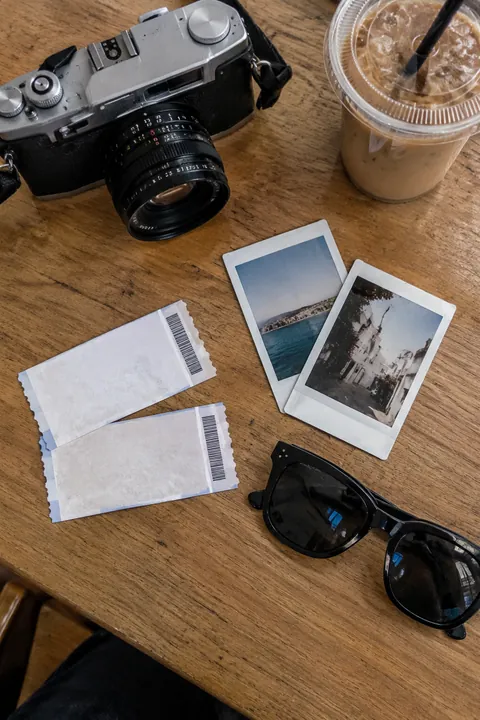
- A ticket, receipt or wristband A ticket stub or a wristband on your arm says what you did more honestly than a caption.
- The view out the window Train window, plane window, your bedroom at 7 a.m. Keep a bit of the frame or sill in the shot so it reads as your view, not a postcard.
- Shadows on a wall Late sun through blinds or plant leaves makes stripes and shapes. Put your hand or profile into the light.
- Your desk mid-mess Laptop open, notes, half a sandwich. The unglamorous slide is often the most relatable.
- A sign that made you laugh An odd street sign, a handwritten café menu, a note taped to a door. Fill the frame so the words are readable on a phone.
- The table before anyone eats The whole spread from standing height, plates untouched. Add the empty plates afterward for a pair.
- Flowers in a water glass A grocery-store bouquet in whatever glass you had. Get close and let the room blur behind it.
- The sky with a strip of rooftops Keep a line of roofs or trees at the bottom so the sky has scale. A few minutes after sunset usually has the softest color.
- A screenshot that sums up the week The weather forecast, your step count, a funny text with names cropped out. It breaks up the photos and adds a joke.
- Something tiny, up close A ring, a bug on a leaf, sugar on a pastry. Move in until the iPhone barely focuses.
- The last photo of the night Streetlights through a car window, a dim kitchen, your bed with the lamp on. End on something quiet.
To order them, start with your strongest photo, since it’s the cover. Then alternate wide and close, people and things, and save the funniest frame for slide three or four, while people are still swiping.
Photo dump caption ideas
Keep it short. A caption that names the time, the mood or one slide works better than describing every photo.
- a week in no particular order
- recent evidence
- things i didn’t post at the time
- camera roll, lightly edited
- proof i left the house
- small things, big week
- mostly coffee, some sky
- notes from the last few days
- the unedited version
- [month] in pieces
- receipts from a good weekend
- in between the plans
- currently: tired and happy
- unrelated photos, related feelings
- highlights and outtakes
- slide 4 is the real story
- everything my phone remembers
- documenting, not curating
Make it move
One moving slide makes people stop. Tada works on any photo in your camera roll:
- Pocket Pals suits the bag flat lay and the coffee shot. This AI look adds a family of three small cute creatures made from what’s in the photo, like coffee-bean critters by a drink, drawn in a flat kawaii style, and they move. It takes about a minute.
- Draw fits the desk or the sign. Circle the detail or add an arrow with your finger, then pick My lines and your lines wiggle like a hand-drawn cartoon. That part is free.
- Natural works on the window view or the sky. With no people in the frame, what is already there moves: steam, leaves, water, lights. It takes 20–40 seconds.
Tap Save and each one goes to Photos as a Live Photo, next to the rest of the dump. To decorate the mirror shot instead, see how to add stickers to photos.
Pocket Pals and Natural are AI tadas: Tada asks before the first one, then the photo goes to Tada’s servers, where OpenAI and xAI make it. You get 3 free. Privacy.
iPhone tips for a better dump
- Leave Live Photo on. It records 1.5 seconds before and after you tap, so a blurry laugh often hides a sharper frame. In Photos, tap Edit, tap the Live Photo button, drag the white frame, then tap Make Key Photo.
- Use Portrait mode for the flowers and the coffee. It works on objects too, keeping them sharp against a blurred background.
- When someone is walking or laughing, swipe the Shutter button to the left for a burst, then keep only the frames you like.
- Give one Live Photo the Loop or Bounce effect: open it, tap the Live Photo button near the top and choose one. More in how to make a Live Photo loop.
Questions
What is a photo dump?
A carousel of loosely related photos from a week, a trip or a month, posted together with little editing. The mix of candids, details and screenshots is the point.
How many photos should be in a photo dump?
There’s no rule. Use enough for variety and few enough that each slide earns its place, and lead with your strongest photo, since it’s the cover.
What should I caption a photo dump?
Something short that names the time or the mood, like “a week in no particular order” or “proof i left the house”. You don’t need to explain each photo.
Can I make one photo in my dump move?
Yes. Tada makes a photo from your camera roll move and saves it to Photos as a Live Photo, so it sits right next to the rest of your shots.
Sources: Apple Support: Take and edit Live Photos · iPhone User Guide: Take portraits with your iPhone camera · iPhone User Guide: Capture action shots with Burst mode