How to animate old photos
Photograph the print flat and without glare, then open Tada, tap Make it Live and choose Natural: faces blink, breathe and smile a little, and it saves to Photos as a Live Photo. For a free, gentler option made on your phone, choose Breathe.
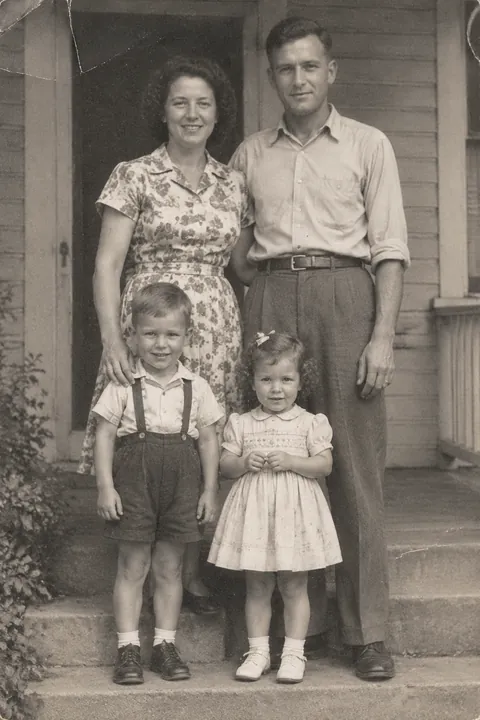
Get the old photo into your phone
A clear copy of the print gives the AI more to work with. You don’t need a scanner; your iPhone camera is enough.
- Lay the print flat on a table near a window. Soft daylight from the side is kinder to old paper than a lamp overhead.
- Turn the flash off and watch for shine. Take the photo out of its frame or album sleeve if you can, and tilt it a little until any glare is gone.
- Hold your phone straight above the print, parallel to it, so the corners stay square.
- Fill the frame with the photo. Move closer instead of zooming in.
- Trim the edges in Photos: pinch the photo to zoom in until only the picture shows, tap Crop in the top-right corner, then tap Done.
Already have a scan, or a picture a relative sent you? Anything in your camera roll works, including a screenshot.
Make it move
- Open Tada and tap Make it Live, then pick the photo.
- Choose Natural for quiet, candid motion: people blink, breathe, smile a little and shift slightly; hair and clothes move a little. Lively is bigger, with laughing, head turns and waves. Both use AI and take 20–40 seconds, and the camera stays still.
- Or choose Breathe: people breathe softly in a seamless loop. It’s free and made on your phone in about a second.
- Tap Save. It goes to Photos as a Live Photo. Touch and hold it to watch it move, or send it in Messages.
To share it where only videos play, see how to make a photo into a video.
What AI motion is, and isn’t
The motion is invented. AI looks at a still picture and makes up how it might move. It is not a recording of how your grandmother really smiled or turned her head, and it can’t bring back a moment the camera didn’t catch.
It can still be lovely: a familiar face that seems to breathe. Treat it as a new way to look at an old picture, not as a lost home movie. If the result feels wrong, you don’t have to keep it.
Photos of people who have died
Seeing a parent or grandparent move can bring up a lot. Some relatives will love it; others may find it upsetting. Ask the family before you share one, keep the original print and photo as they are, and say that the motion was made with AI.
Free or AI
Breathe and Puff are free, as many as you like. Natural and Lively use 1 AI tada each, and you get 3 free.
For AI tadas your photo is sent to Tada’s AI partners, OpenAI and xAI, to make the motion; Tada asks before the first time. Breathe stays on your phone. See the Privacy Policy.
Questions
Can I bring old photos to life for free?
Yes. Breathe and Puff are free and made on your phone, as many as you like. Natural and Lively use AI and cost 1 AI tada each; you get 3 free.
How do I scan an old photo with my iPhone?
Lay it flat in soft daylight, turn the flash off, hold the phone straight above it and fill the frame. Then crop the edges in Photos.
Is the movement real?
No. AI makes up plausible motion from a still picture. It is not how the person really moved, so it’s kind to say so when you share it.
Is it okay to animate a photo of someone who has died?
It’s a personal choice. Many people find it moving, but not everyone does, so ask close family before you share it.
Sources: iPhone User Guide: Crop, rotate, flip, or straighten photos and videos on iPhone · Apple Support: Take and edit Live Photos