An alternative to MyHeritage Deep Nostalgia
MyHeritage Deep Nostalgia animates the faces in old family photos, one face at a time, and gives you a short video. Tada is an iPhone app that makes the whole photo move and saves it to your Photos app as a Live Photo, with free options made on your phone.
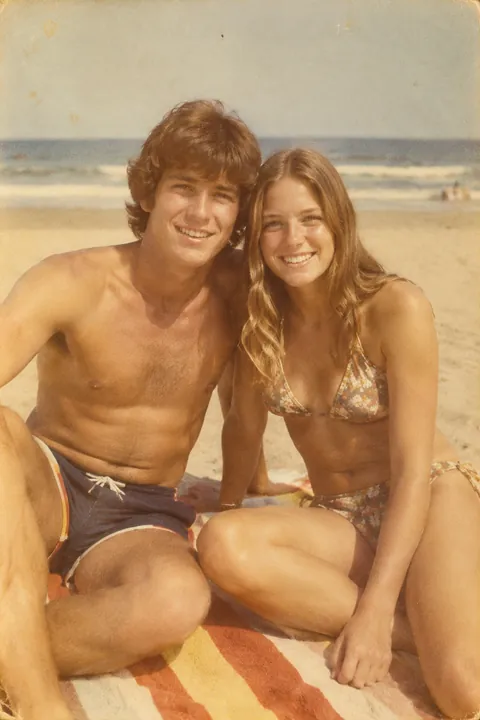
What Deep Nostalgia does
By MyHeritage’s own description, Deep Nostalgia uses deep learning technology licensed from D-ID to animate the faces in still photos. It applies pre-recorded “driver videos” of real human gestures, so a face can smile, blink and turn its head.
- It works on one face at a time. If a photo has several people, you pick one of the detected faces, and each face is a separate animation.
- You can use it on the MyHeritage website or in the MyHeritage app, which also has a built-in scanner for prints. Photos are enhanced automatically before they’re animated.
- You can download the animation as a video or share it.
- MyHeritage marks animations with small icons so they can be told apart from originals, and asks people not to use the feature on photos of living people without their permission.
MyHeritage also has a newer feature in its app, LiveMemory, which animates the whole scene in a photo instead of one face. If you’re building a family tree, MyHeritage keeps all this next to your records, along with tools to repair, colorize and enhance old photos.
How Tada is different
| Deep Nostalgia (per MyHeritage) | Tada | |
|---|---|---|
| What moves | One detected face per animation | With Natural or Lively, the whole photo: faces, hair, clothes, pets, water |
| What you get | A video to download or share | A Live Photo in your iPhone’s Photos app |
| Where | MyHeritage website and app | An iPhone app |
| More you can do | Repair, colorize and enhance photos | Stickers that move, doodles that wiggle, AI looks |
Neither one shows how someone really moved. MyHeritage says its results are a simulation, not authentic footage, and the same is true of Tada: the motion is made up from a still picture.
Animate an old photo in Tada
- Photograph the print flat, with the flash off and no glare, or pick a scan you already have. There are more tips in how to animate old photos.
- Open Tada, tap Make it Live and pick the photo. Choose Natural for candid motion: people blink, breathe, smile a little and shift slightly. Or choose Breathe, which is free and made on your phone in about a second.
- Tap Save. It’s in Photos as a Live Photo: touch and hold it to see it move, or send it in Messages.
For a birthday or anniversary, you can also add a party hat or flower crown from Add effects, or draw around the photo with Draw. Both keep moving in the saved Live Photo.
Natural uses 1 AI tada (you get 3 free). Your photo is sent to Tada’s AI partners, OpenAI and xAI, and Tada asks before the first time. See the Privacy Policy.
Which to use
Use Deep Nostalgia if your family photos already live in MyHeritage, or if you want an animated face kept alongside your family tree. Use Tada if you want the moving photo in your own Photos app on iPhone, ready to send, with free options and stickers or doodles. For more choices, see apps that make pictures move.
Questions
What does MyHeritage Deep Nostalgia do?
MyHeritage says it animates the faces in still photos using pre-recorded driver videos of real gestures, so a face can smile, blink and turn its head. It animates one face at a time.
Does Tada animate faces like Deep Nostalgia?
Yes. With Natural and Lively, people blink, breathe, smile and turn their heads. Tada moves the rest of the photo too and saves it as a Live Photo instead of a video file.
Can I turn a tada into a video?
Yes. Open it in Photos, tap the More button, then tap Save as Video.
Is Tada on Android or the web?
No. Tada is an iPhone app and needs iOS 26 or later.
Sources: MyHeritage: Deep Nostalgia · MyHeritage Education: How to Use Deep Nostalgia to Animate Family Photos · MyHeritage Blog: Introducing Deep Nostalgia · MyHeritage Blog: Introducing LiveMemory · App Store: MyHeritage: Family Tree & DNA · Apple Support: How to turn a Live Photo into a video on your iPhone